Randomizer
Overview
The Randomizer cloud app is a decision step that can be used on Eloqua campaign or program canvases. It acts to send a specified percentage of contacts down the Yes path, and the remainder down the No path.
Installation
See the Install this card instructions for guidance on how to install our Tegrita Cloud Apps.
Using the Randomizer Cloud App
Add the Randomizer cloud app to a campaign or program canvas like any other decision step:
- Drag it out from the Campaign Steps > Decision toolbar on the left side of the campaign canvas screen.
- Once you've added it to a canvas, double-click the cloud app icon, then click the pencil icon in the resulting screen to open the cloud app configuration dialog.
You'll see a screen that looks like this:
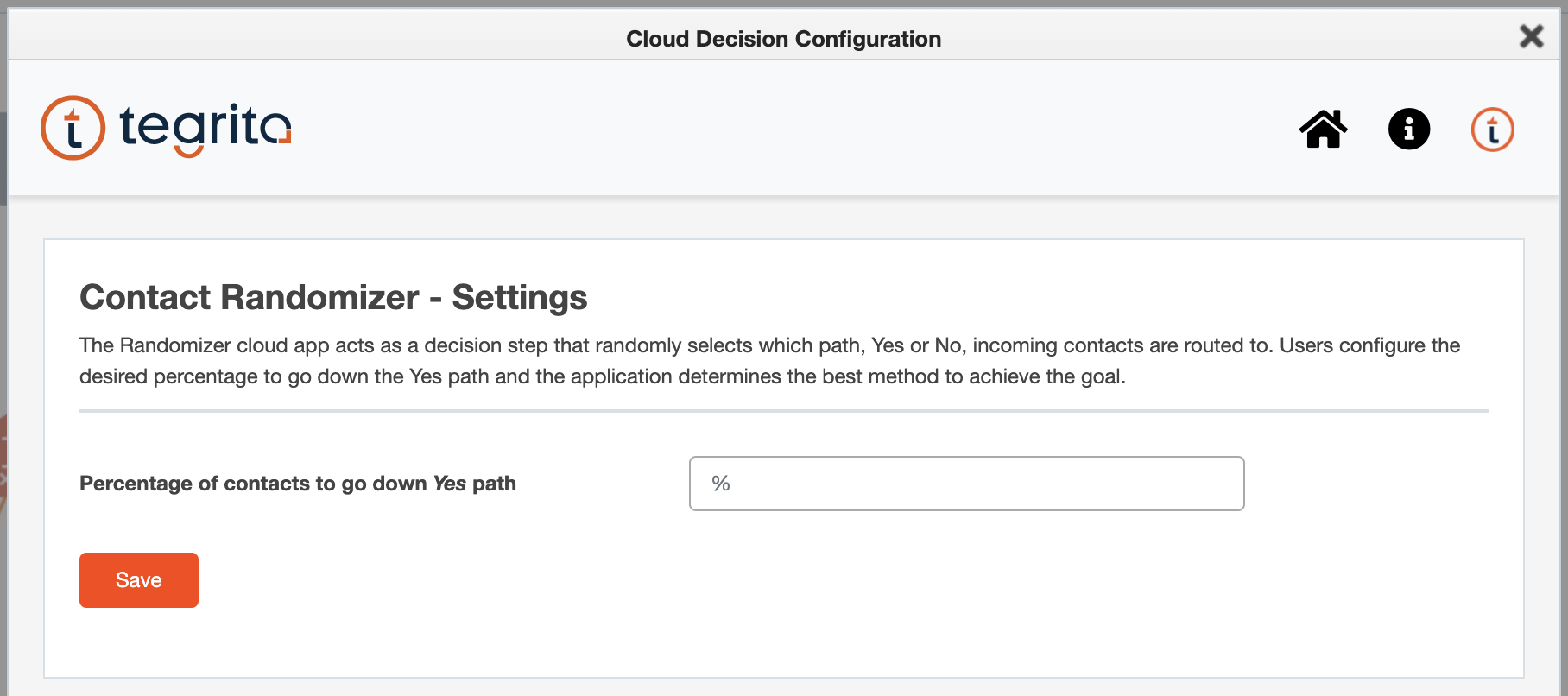
Enter the percentage of contacts you'd like to go down the Yes path as an integer from 1 to 99, then click Save to save your configuration.
Usage Notes
Depending on the number of contacts that flow through the step, the resulting percentage may not precisely match the configured percentage in the app. This will happen when the resulting number of contacts is a fraction (for example, 25 percent of 65 contacts is 16.25). It may also happen when the number of contacts flowing through the step at any particular time is low (under 50 at a time). In the latter case, the app uses a probability-based method to send contacts down each path. Over time, the resulting percentage will approach the percentage value set in the Randomizer cloud app step.