Contact Deleter
Overview
The Contact Deleter cloud app is a simple yet powerful action step that can be used on Eloqua campaign or program canvases. It deletes all contacts that are passed into it.
Warning
Use this app carefully!! Contacts, once deleted, cannot be restored.
Installation
See the Install this card instructions for guidance on how to install our Tegrita Cloud Apps.
Using the Contact Deleter Cloud App
Add the Contact Deleter cloud app to a campaign or program canvas like any other action step:
- Drag it out from the Campaign Steps > Actions toolbar on the left side of the campaign or program canvas screen.
- Drag the action step onto the canvas, then connect it to an incoming flow of contacts where appropriate. For example:
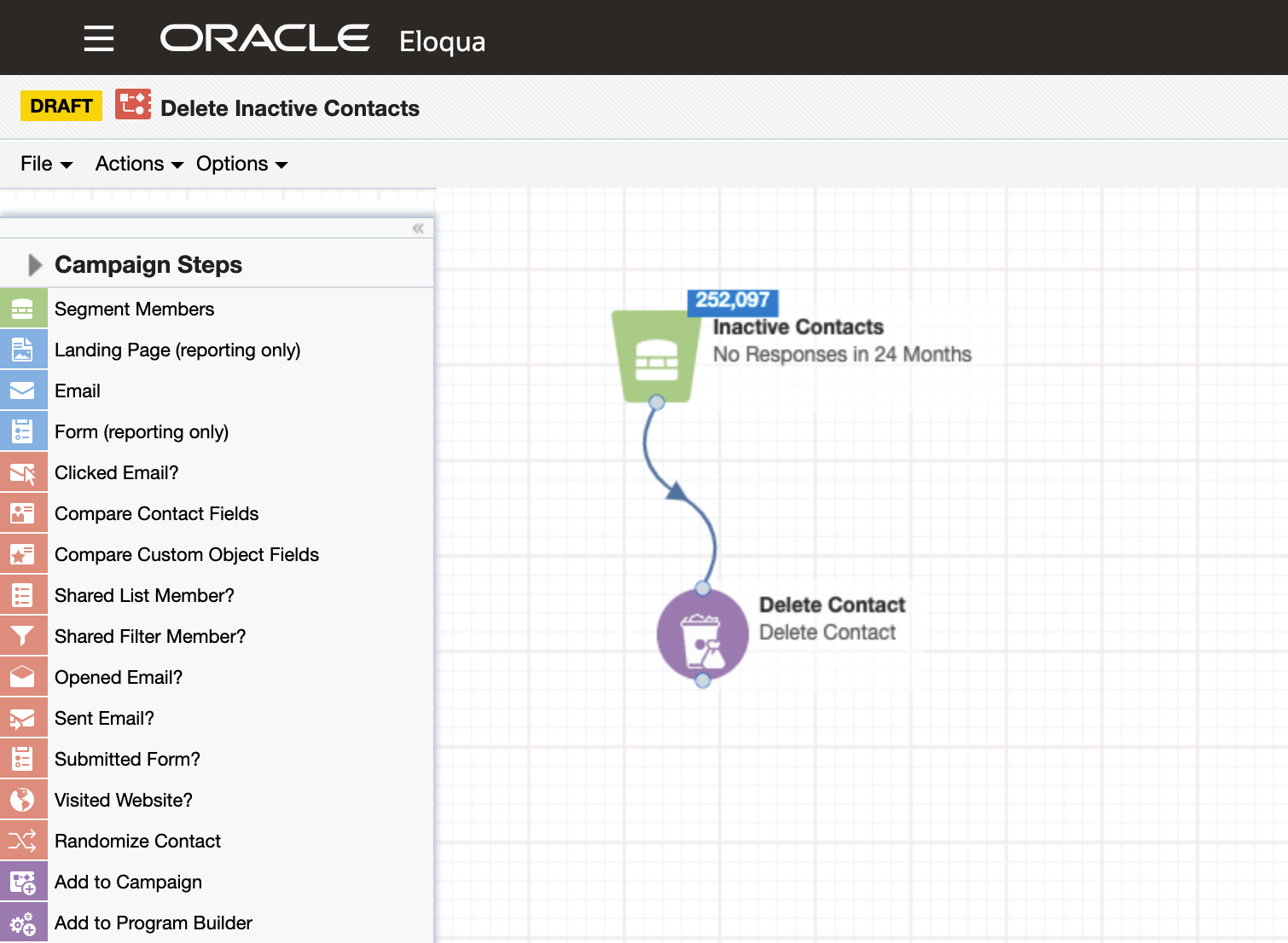
The Contact Deleter cloud app does not need to be configured — it does only one thing (delete all contacts that flow into it) — and there are no controls or options available inside the app. Since all contacts that flow into it are deleted, there is no need to configure any following steps on the campaign or program canvas.